
Finalist
For people who finish things
A complete planner on every screen.
Your tasks, calendar, notes, habits, and journal, woven into one living page. On iPhone, iPad, Mac, and now Apple Watch. Plan your day without feeling stressed about it.
Free to try · 4.0 is a free update for everyone
Your day your way · stack ’em
John Gruber, Daring Fireball
2025 and 2026
4.8 on the App Store
Finalist started three years ago as the planner I couldn't buy: one page that holds the whole day the way a good paper planner does, with everything paper can't do. Version 4.0 is the biggest release since 1.0: integrated Notes, the new Watch app, and a very designable Daily tab.
All of it is below, and all of it is a free update.
— Slaven, developer of Finalist
"Finalist is so beautiful and thoughtfully designed that it makes me want to use it."
Your whole day, on one page.
Events, tasks, reminders, habits, the weather, even your journal. Finalist sets them on a single page, so deciding what today is for takes one look.
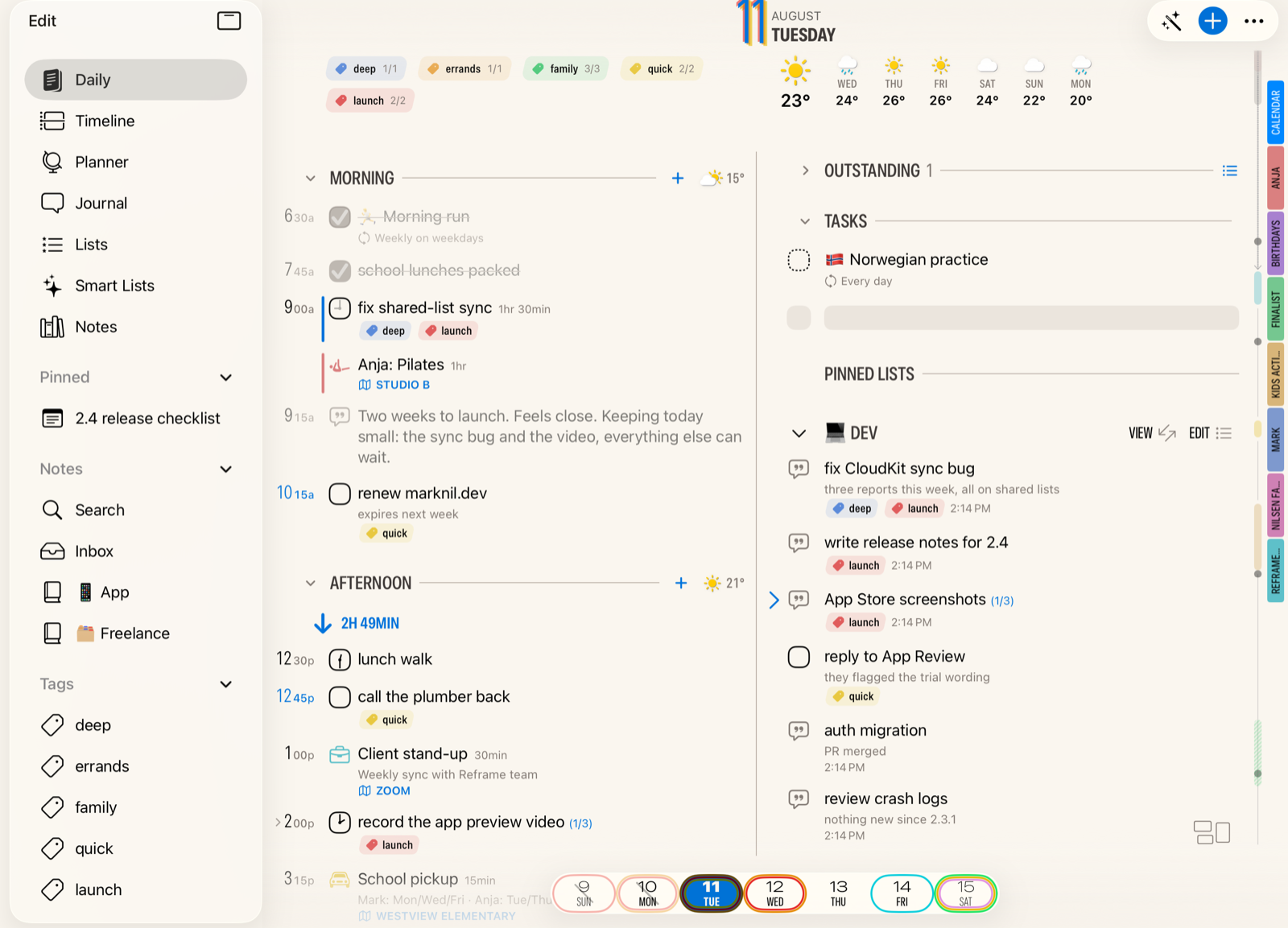
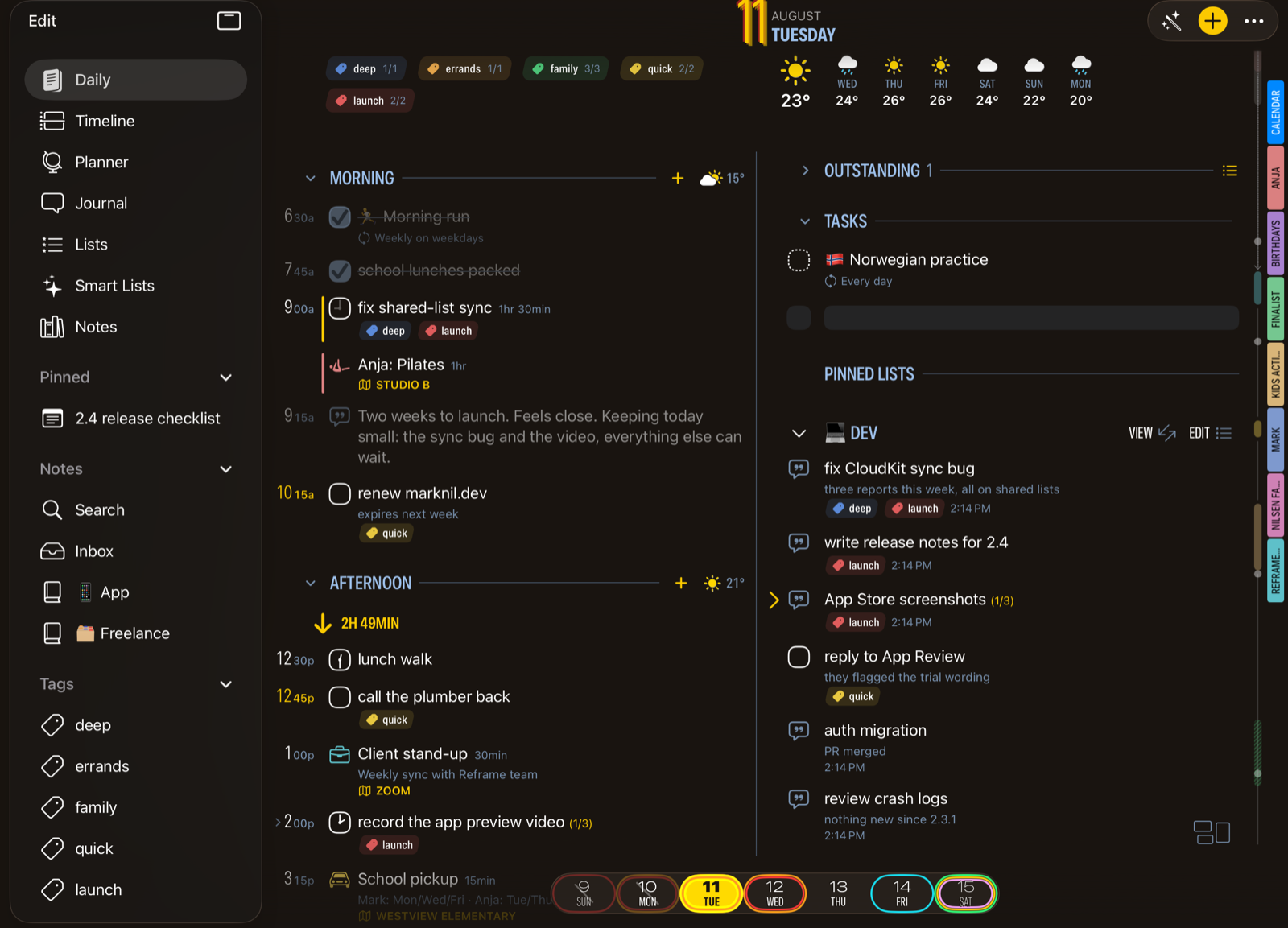
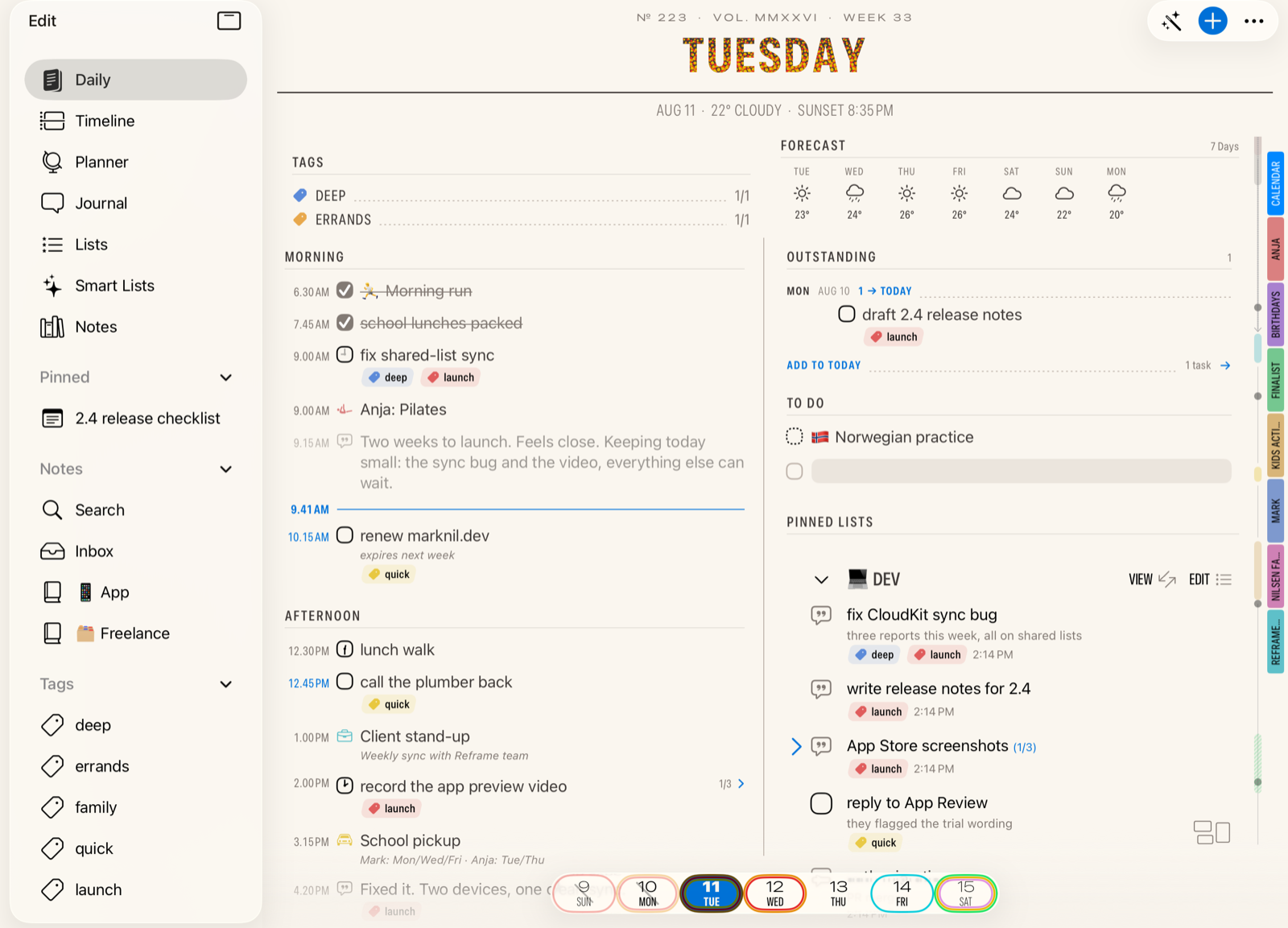
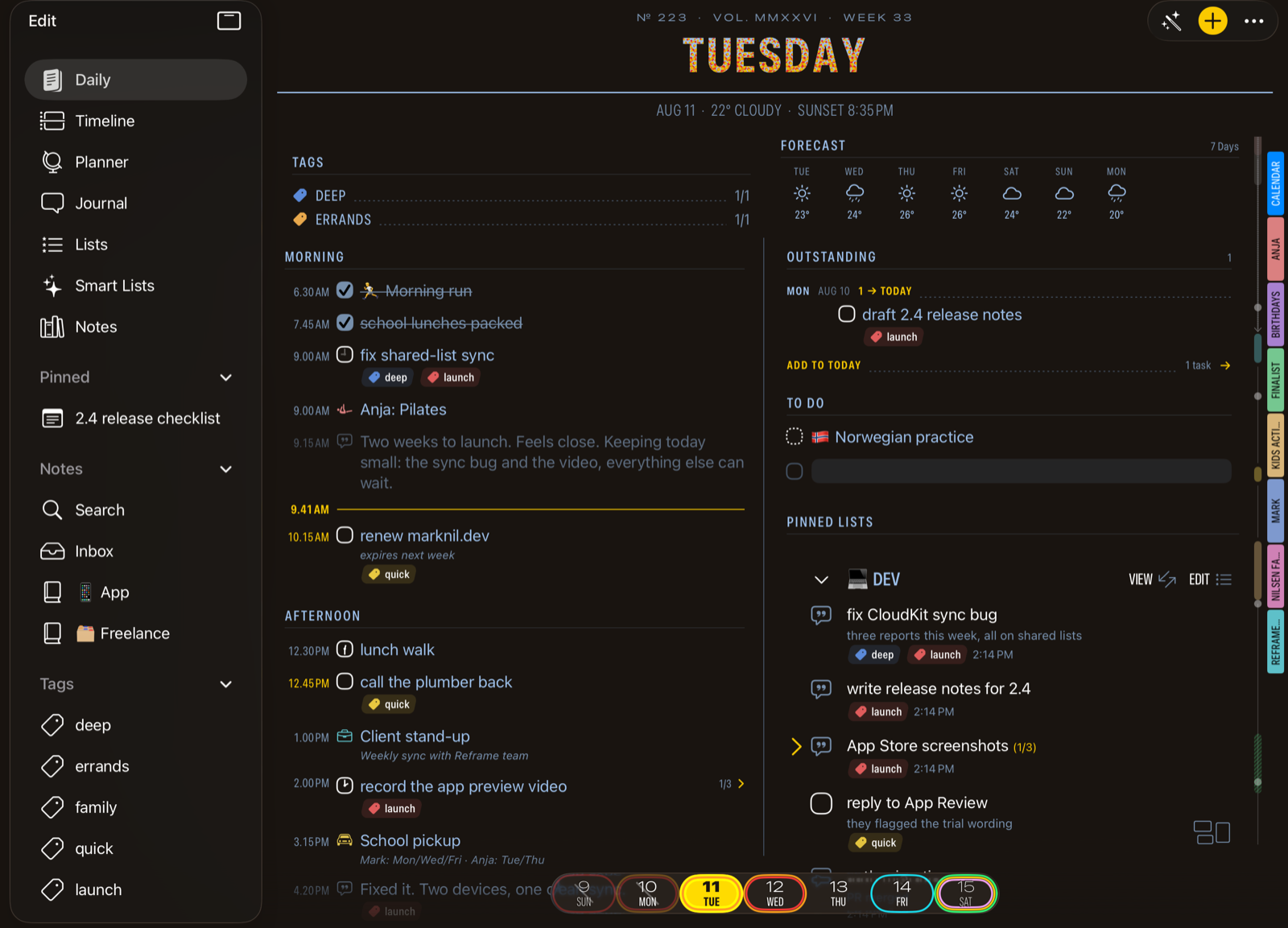
Two designs, and a layout editor. Daybook is the classic layout, with the new Broadsheet newsprint look that shines on iPad and Mac. The Layout Editor goes further: multi-column spreads, a different layout per device, presets you can save. Your Daily tab ends up looking very much your own.
A favorite trick: tap Broadsheet's World Clock and the masthead retunes to another city's day, date and weather and all.
Made to lower your pulse. The page shows only the parts you use; unfinished tasks can be rolled forward or left on their own. And snoozing a task is an easy single tap: 15 minutes, 4 hours, or pick a day.
Share Day renders the day you're viewing as a clean, chrome-free image. Pick a theme, crop it, send it.
"It puts all of my thoughts in a single day, whether they be work appointments or personal tasks or intentions, while not overwhelming me with info I don't need."
Sketch your day in pencil. Commit when it's real.
The rebuilt Timeline compresses free time into blocks and lets you drag tasks straight from the rail.
Drag a task from the rail to pencil it in. Resize with the handle. Accept writes the time into the real task.
Penciled times are tentative. Resize them, move them, change your mind. Nothing touches your real tasks and reminders until you tap Accept, and all of it is undoable.
Time blocking for people who hate committing before 9 AM.
Pick a Tag and hide the rest.
Tags now run across everything: tasks, notes, journal entries, habits, even Apple reminders and calendar events. Tap a tag on Daily and the day shows just that thread of your life.
Anything that holds dated tasks can unfold into a swimlane timeline: a tag, a list, a Smart List, even a markdown file or a whole folder. Columns adapt from days to weeks to months, so a year-long project stays legible on one screen.
Planning, meet note taking.
Tasks tell you what, notes tell you why. A new Notes tab brings notebooks, an inbox, tags, and search into the planner you already open every day. Pin a note to show on every Today, or pick a date for it to place it on that day only.
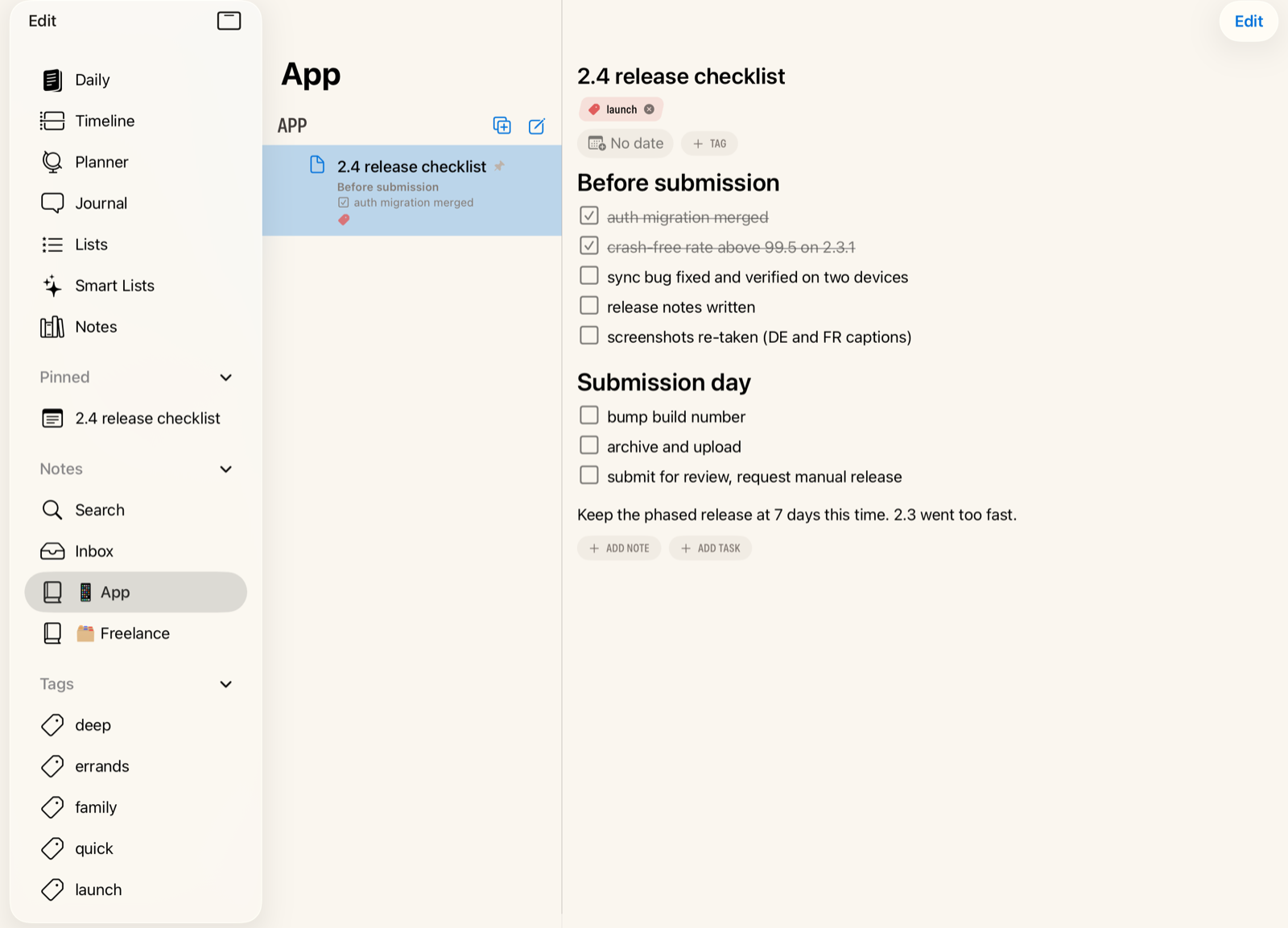
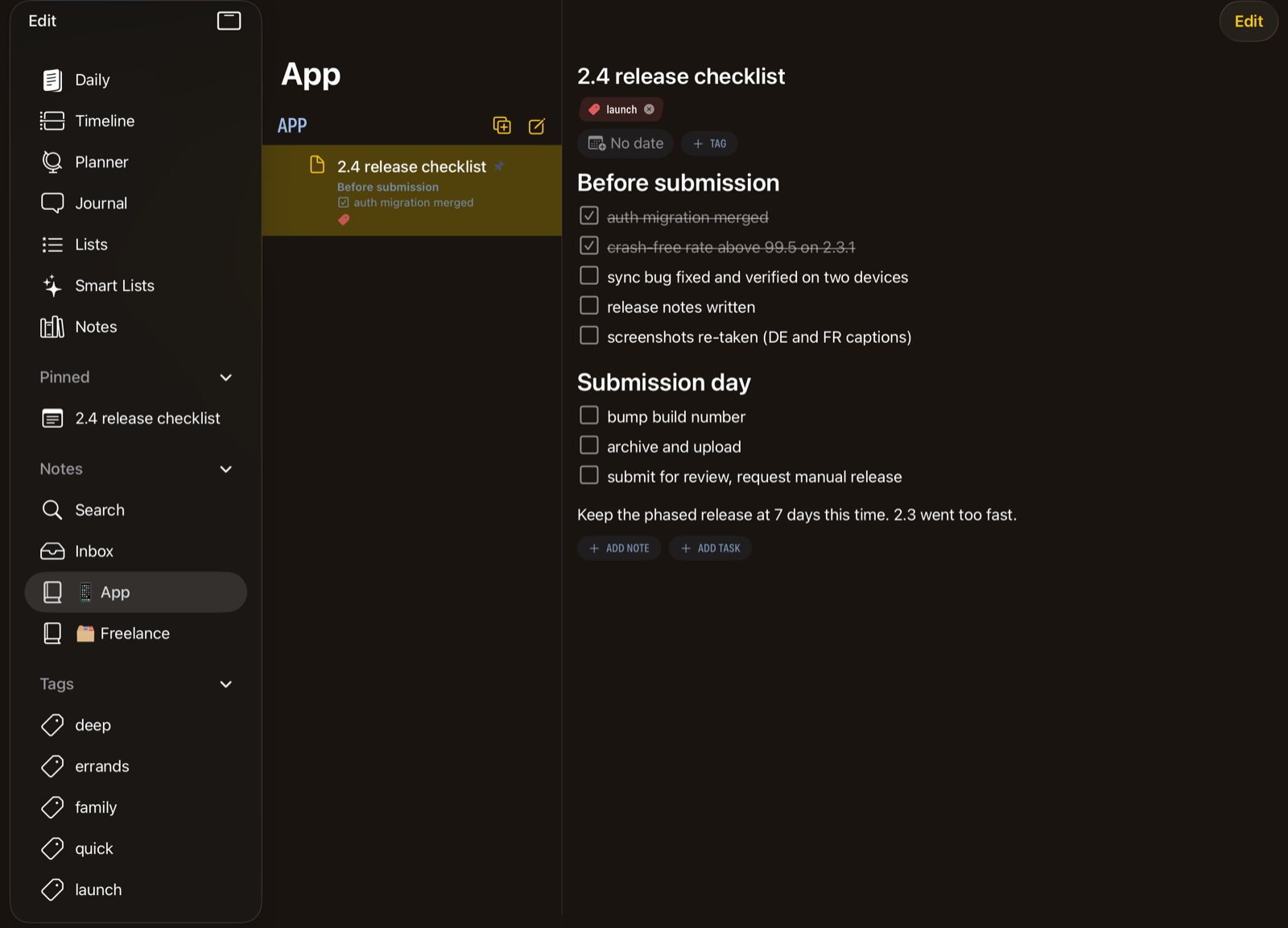
Already keep a folder of Markdown files?
Point Finalist at it. Obsidian vaults, iCloud Drive, any folder of .md files becomes a native notebook. Frontmatter round-trips both ways, while preserving unknown keys. Tasks in your files become real Finalist tasks, on the right date, with the right tags. Wiki links, Dataview fields, and extended task statuses resolve right in the app.
If you have ever kept your schedule in one app and your notes in another, this release will end that.
Your day, on your wrist.
A full Watch app that runs even when your phone stays home. The Now card answers the day's current question, then your whole day scrolls below: events, tasks, reminders, habits. Long-press a task for Done, Tomorrow, or In 10 Minutes. And yes, the shared grocery list is checkable from the wrist.
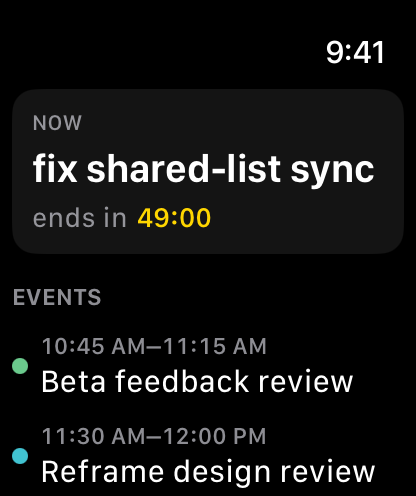
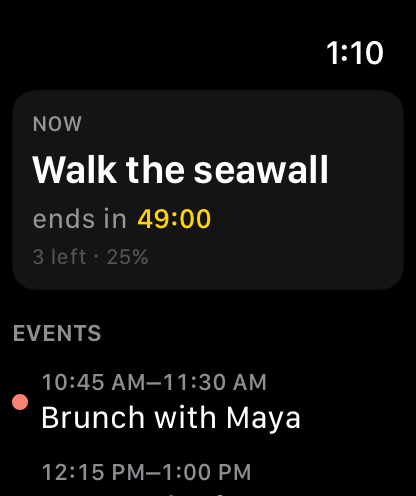
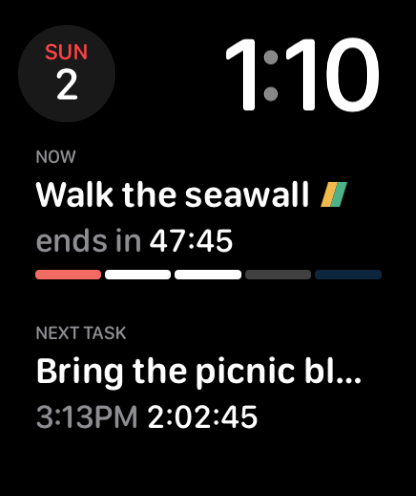
Complications, a Smart Stack widget, and a big complication that wears your day's Highlight colors. Add by keyboard, scribble, or dictation. Requires watchOS 26.
call dentist tue
pack for trip fri
birthday card!
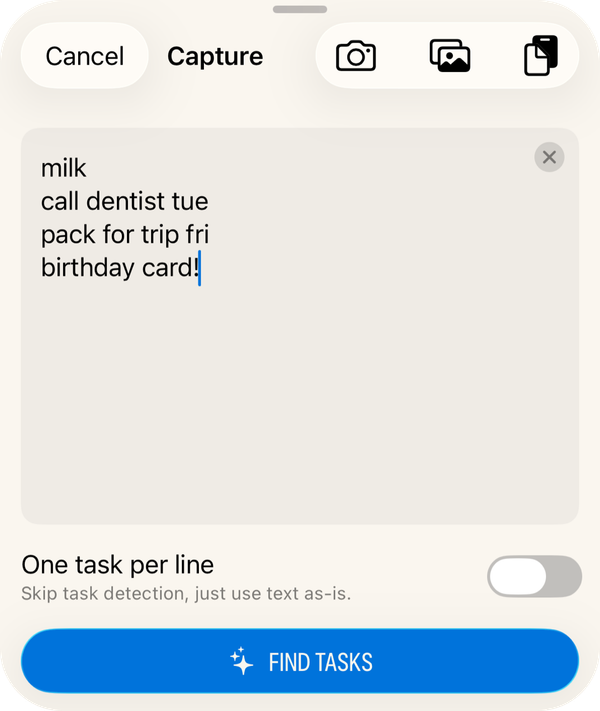
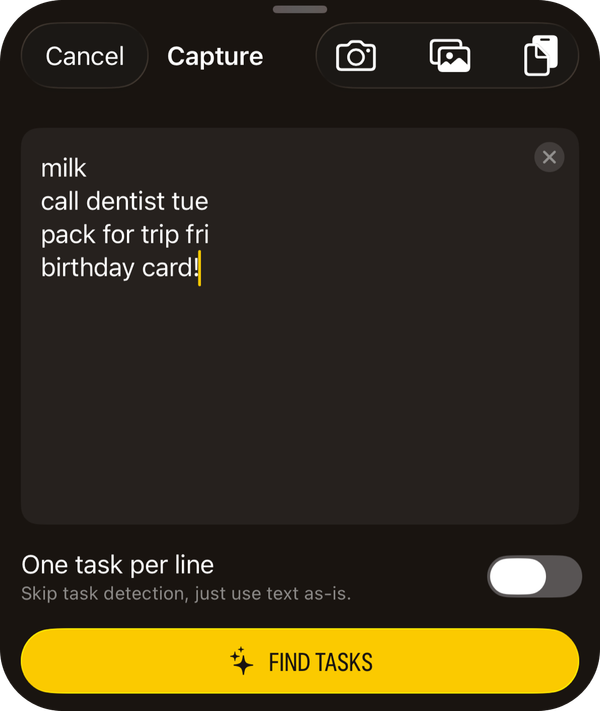
Capture. Point it at a handwritten list, a screenshot, or anything you share into Finalist. Dated tasks come out, fields already filled. Dictate a note and it titles itself. Apple's on-device models do the work, so nothing about your day leaves your device.
Works with your brain, not against it.
Planner apps fail when they turn your day into a guilt list. Finalist is built to lower the stakes: move a task to tomorrow without ceremony, keep the page down to what matters now, and let streaks encourage instead of punish.
"It has helped keeping up with my to do list, makes it easy to move unfinished tasks to the next day without making me feel guilty, and gives me a space to do some short journaling during the day."
"I have tried them all. Truly. Spent gobs of money on all of the heavy hitters. But THIS ONE works with my brain and just plain works."
The 4.0 changelog runs to over 400 features and improvements. A few favorites:
"Where has this app been all my life!"
Finalist user, December 2025
"I've used a lot of to-do apps in the past including Todoist, OmniFocus, Obsidian, and NotePlan. But Finalist fits me much much better!"
"The design language is clean, analog-almost, and feels like a digital extension of a physical planner, with the peace of mind of digital remembrance."
"I've gotten rid of all my other to-do apps and now this is the only one I'll use. I love looking at it, and if I'm looking at it, it means my stuff is getting done."
"A standout app that has a great future. Very responsive developer who is very open to feedback and keeps reiterating with useful additions."
"If you have not tried it yet, get ready for a surprise. Finalist is the best available iOS, iPadOS, and macOS task and event manager in the App Store."
"Guys, no joke, Finalist is really a great app. Slaven has put a lot of effort in developing the app, and introducing new features."
Finalist 4.0 · Out now
Plan tomorrow like you mean it.
Free to try. 4.0 is a free update, and one subscription or a lifetime license covers iPhone, iPad, Mac, and Apple Watch. Built by one person, shaped by 700+ beta testers on Discord.
"It's just so obvious, just using it, that Finalist is his own dream app for daily productivity."